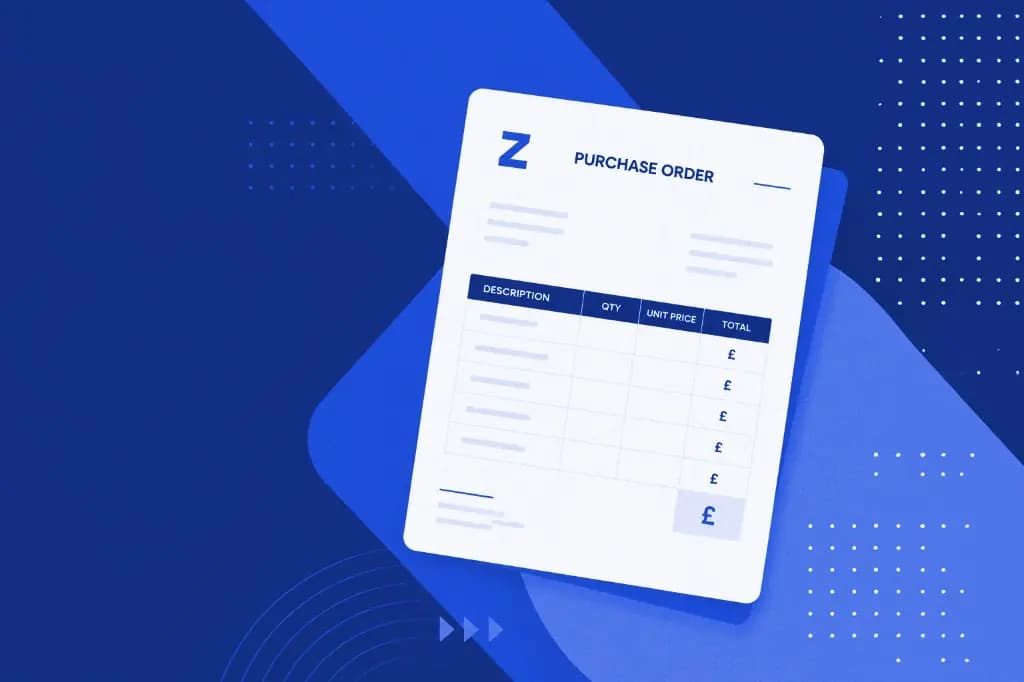
Free Tool — No Account Required
Free Purchase Order Generator
Create a professional purchase order in minutes. Add your supplier details, line items and tax — then download as a PDF or email it straight to your supplier. Completely free, no sign-up required.
- Download as a branded, professional PDF
- Email the purchase order direct to your supplier
- Choose your brand colour
- Multi-currency — GBP, USD, EUR and more
- VAT / tax calculated automatically per line item
Why use purchase orders?
Four reasons every business should use purchase orders
Purchase orders are not just for large companies. Any business that buys goods or services from suppliers will benefit from putting orders in writing before they happen.
Prevent disputes
A written PO records agreed quantities, prices and delivery dates — so there is no ambiguity if something goes wrong.
Control spend
Finance can see costs before they are committed. No more surprise invoices for purchases nobody approved.
Professional records
Every order is documented with a unique PO number, making it simple to reconcile invoices and satisfy auditors.
Easier invoice matching
When the invoice arrives, you have an approved document to check it against — so overpayments are caught immediately.
How to create a purchase order
Create a professional PO in three steps
No templates to download, no software to install. The generator runs entirely in your browser and produces a ready-to-send document in minutes.
Fill in your details
Enter your company name, supplier details, line items, quantities, and tax rates. Everything you need is on one page.
Preview your purchase order
See a formatted, professional PO document with your brand colour before committing. Make edits until it looks right.
Download or send
Download a PDF to your device, or email the purchase order directly to your supplier — straight from the browser.
Ready to go beyond a
one-off purchase order?
This free tool is great for creating individual purchase orders, but if your business processes multiple orders a week you will quickly hit its limits. Zahara's purchase order software adds the structure your finance team needs.
- Approval workflows — so spend is agreed before orders are placed
- Budget tracking — see the impact of every purchase on departmental budgets
- Supplier management — store supplier details, pricing and history in one place
- Automatic invoice matching — check every invoice against an approved PO
- Full audit trail — from purchase request through to payment
Free purchase order generator FAQs
Common questions about creating purchase orders online — whether you are using this free tool or looking to automate the process across your business.
A purchase order (PO) is a formal document a buyer sends to a supplier to authorise a purchase. It records the agreed quantities, prices, delivery date and payment terms before any goods or services change hands — giving both sides a clear, written baseline to work from. Once the supplier accepts it, a purchase order becomes a legally binding contract.
Use the generator on this page — no account or sign-up required. Fill in your company details, add your supplier, enter line items with quantities and prices, then click Download PDF or Send by Email. The whole process takes a couple of minutes.
A well-formed purchase order should contain:
- Your company name and contact details
- A unique PO number for tracking
- Supplier name and email address
- Issue date and required delivery date
- Line items with description, quantity, unit price and tax rate
- Net total, tax total and grand total in the agreed currency
- Delivery address and any relevant notes or payment terms
This generator captures all of these fields and formats them into a professional PDF automatically.
A purchase order becomes a legally binding contract once the supplier accepts it — either in writing or by fulfilling the order. It sets out the agreed terms, so both parties have a clear record of what was ordered, at what price, and by when. This protects both buyer and supplier if a dispute arises.
A purchase order is created by the buyer before the goods or services are delivered. It authorises the purchase and records the agreed terms. An invoice is created by the supplier after delivery to request payment. In a healthy procurement process, every invoice should be matched back to an approved purchase order.
Yes — even small businesses benefit from using purchase orders. They create a paper trail that prevents disputes, help control spending, and make it much easier to reconcile invoices at month-end. You do not need software to start: this free generator lets any business produce professional POs immediately.
Yes. Once you have filled in your details, click Send by Email, enter your supplier's email address and add a message. The purchase order PDF is generated and sent on your behalf. No email client or attachment handling needed.
This tool is perfect for creating individual purchase orders quickly, but each one is created manually and nothing is saved. Zahara's purchase order software adds approval workflows, budget tracking, supplier management, automatic invoice matching, and a complete audit trail — all in a cloud platform your whole team can use. If you are processing more than a handful of orders a week, Zahara will save significant time and reduce errors.
A purchase requisition is an internal document — a request from a team member asking for permission to buy something. Once approved, it becomes the basis for a purchase order, which is then sent to the supplier. In Zahara, the requisition and approval steps are built into the same workflow so nothing falls through the cracks.
Free Generator
Create your purchase order
Fill in your details below, add line items, then preview, download as a PDF or send directly to your supplier — all free, no sign-up required.
Your Details
Order Details
Supplier
Line Items (1/20)
Need approval workflows and saved history?
Zahara automates your full PO process — approvals, matching, supplier management and more.